JPG vs PNG: Which Image Format Is Better? Comparison
If you have ever uploaded a photo to a website, designed a logo, or simply saved an image from your phone, you have almost certainly run into the question at the heart of this guide: JPG vs PNG: Which Image Format Is Better? Comparison is one of the most searched topics among website owners, photographers, graphic designers, and everyday computer users in the United States. Both formats are everywhere, yet most people never stop to ask why one image loads faster, why another looks sharper, or why a logo with a transparent background only works properly in one of the two.
This guide breaks down everything you need to know in plain English, with real-world examples, so you can make the right choice every time you save, upload, or share an image.
Quick Answer: Is JPG or PNG Better?
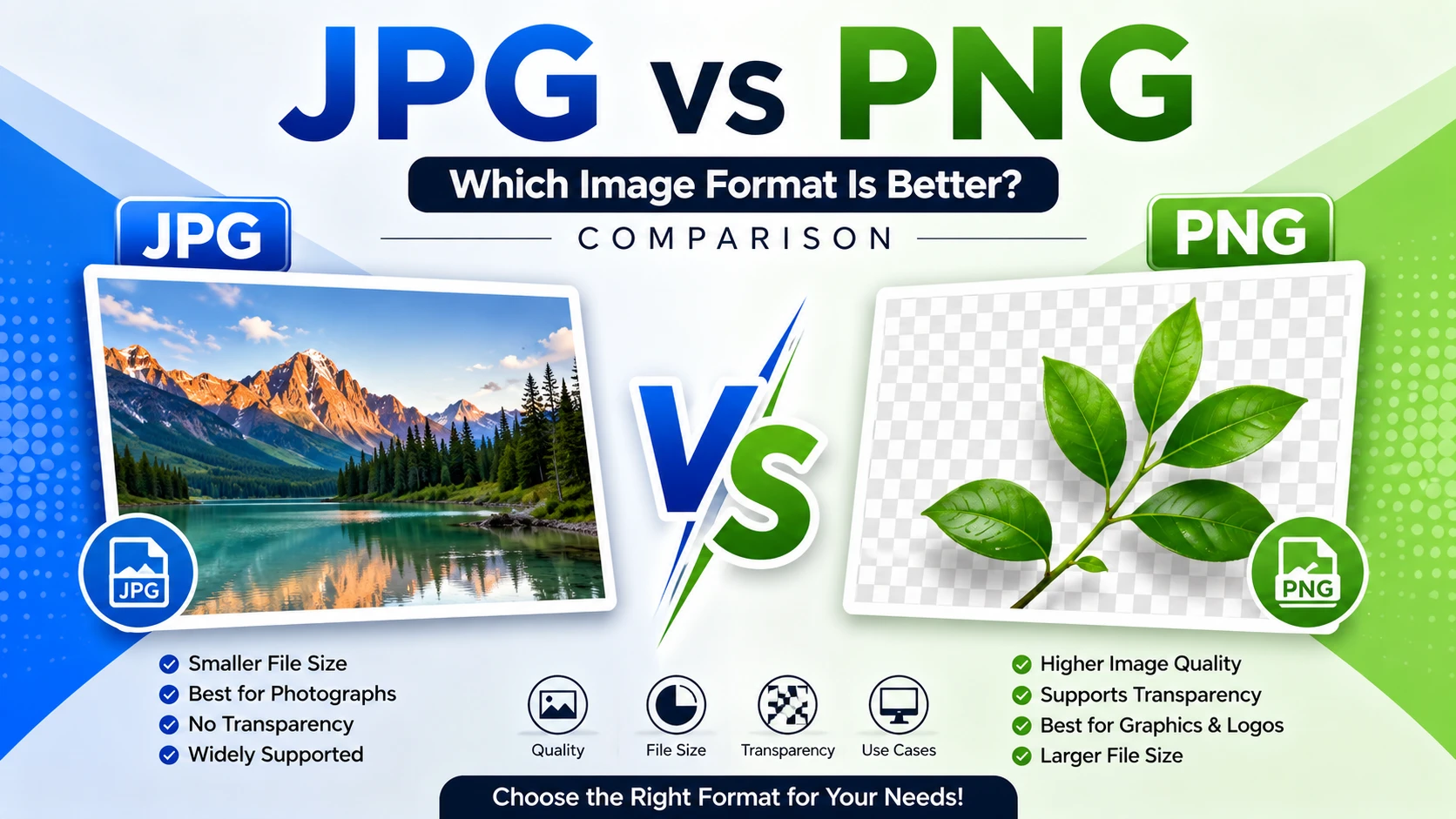
There is no single winner. The right format depends entirely on what you are doing with the image. JPG is generally the better pick for photographs and complex images where small file size matters, such as blog images, email attachments, or product photos on an online store. PNG is the better pick when you need a transparent background, sharp text, or crisp lines, such as logos, icons, screenshots, or graphics with flat colors.
The rest of this article explains exactly why, so you can apply the right format with confidence rather than guessing.
What Is a JPG File?
JPG (also written as JPEG, short for Joint Photographic Experts Group) is an image format built specifically for photographs and images with lots of color variation, such as sunsets, portraits, and landscapes. JPG achieves its small file sizes through what is called “lossy compression,” meaning it removes some image data every time the file is saved. This data loss is usually invisible to the human eye at normal compression levels, which is why JPG has become the standard format for digital cameras, smartphones, and most websites.
The tradeoff is that JPG does not support transparency, and repeated saving and editing can gradually reduce image quality through a process known as generational loss. According to Adobe’s guide to image file formats, JPG remains the most widely used format on the internet because it balances quality and file size so effectively.
What Is a PNG File?
PNG (Portable Network Graphics) was created in the 1990s as a free, open alternative to another format that had licensing restrictions at the time. Unlike JPG, PNG uses “lossless compression,” which means no image data is thrown away when the file is saved. This makes PNG the preferred choice for anything that needs to stay perfectly sharp, including text, line art, icons, and logos.
PNG also supports transparency, which is why almost every logo you download from a brand’s website comes in PNG format. You can place a transparent PNG logo over any background color without a white or colored box appearing around it. The Mozilla Developer Network’s guide to image file types explains that PNG is best suited for images with sharp edges and few colors, rather than complex photographs.
JPG vs PNG: Which Image Format Is Better? Comparison at a Glance
Before diving deeper, here is a side-by-side breakdown of the core differences between the two formats.
| Feature | JPG | PNG |
|---|---|---|
| Compression type | Lossy | Lossless |
| File size | Smaller | Larger |
| Transparency support | No | Yes |
| Best for | Photographs, complex images | Logos, icons, text, screenshots |
| Image quality after repeated saves | Can degrade | Stays the same |
| Color support | Millions of colors | Millions of colors plus transparency (alpha channel) |
| Common use | Photography, web images, social media | Graphic design, logos, digital art with transparency |
| Editing flexibility | Limited due to quality loss | High, since no data is lost |
This table alone answers most people’s basic questions, but the details behind each row matter quite a bit depending on your specific project.
JPG vs PNG: Compression and File Size
One of the biggest practical differences in the JPG vs PNG comparison is how each format handles compression.
JPG uses lossy compression, which means the algorithm looks for patterns in the image that the human eye is less likely to notice and simplifies them to save space. This is why a JPG photo can be five to ten times smaller than the same image saved as a PNG, with very little visible difference in quality at moderate compression settings.
PNG, on the other hand, uses lossless compression. It shrinks the file size by finding smarter ways to store the exact same data, rather than discarding any of it. This keeps every pixel intact, but it also means PNG files are almost always larger than JPG files, especially for photographs with lots of color variation and detail.
For website owners, file size is not just a technical detail. Page loading speed directly affects visitor experience and search engine rankings. Google’s own PageSpeed Insights documentation notes that properly optimized images are one of the fastest ways to improve loading times, which is why most websites default to JPG for large photographic content and reserve PNG for smaller graphical elements.
JPG vs PNG: Image Quality
When it comes to raw image quality, PNG technically wins because it never throws away data. Every time you save a PNG, the file remains identical in quality to the original, no matter how many times you open and resave it.
JPG files lose a small amount of quality every time they are compressed and saved again, a phenomenon known as generational loss. This is rarely noticeable the first time an image is saved, but it can become visible after several rounds of editing, especially around sharp edges or areas with fine detail, where small blocky artifacts may appear.
For most everyday photography, this difference is not something the average viewer will notice. However, for professional photographers, designers who repeatedly edit the same file, or anyone working with images that contain text or crisp lines, PNG’s lossless nature offers a real advantage.
JPG vs PNG: Transparency Support
This is one of the clearest, most practical differences between the two formats. JPG does not support transparent backgrounds. If you try to remove the background from a JPG image, the transparent area will automatically be filled with a solid color, usually white, once the file is saved.
PNG fully supports transparency through what is called an alpha channel, which allows portions of an image to be partially or completely see-through. This is the exact reason why logos, website icons, app graphics, and product images with removed backgrounds are almost always saved as PNG files. Without this feature, a logo placed on a colored webpage background would show an ugly rectangular box around it.
If your project involves layering an image over another background, transparency is the deciding factor, and PNG is the only practical choice between the two.
JPG vs PNG: Use Cases in the Real World
Understanding the theory is helpful, but seeing how these formats are actually used day to day makes the decision much easier.
Photography and Camera Images
Digital cameras and smartphones save photos as JPG by default because photographs contain millions of subtle color gradients that compress well without visible quality loss. A professional photographer shooting a wedding, a family taking vacation photos, or a blogger uploading a travel photo will almost always want JPG for its smaller file size and fast upload times.
Website and Blog Images
Most website images, including blog post photos, banners, and background images, work best as JPG because they need to load quickly without sacrificing noticeable quality. Large PNG files can slow down a website considerably, which negatively affects both user experience and search engine visibility.
Logos and Branding
Every professional logo should be saved as a PNG (or a vector format like SVG for even greater flexibility) because logos frequently need a transparent background to sit cleanly on top of different colored surfaces, from a white webpage to a colored business card.
Screenshots
Screenshots are almost always better as PNG because they typically include sharp text, buttons, and interface elements. JPG compression can make text look blurry or introduce visible artifacts around sharp edges, while PNG keeps everything crisp and readable.
Digital Art and Illustrations with Flat Colors
Illustrations, icons, and graphics made up of solid, flat colors compress extremely well as PNG files without much of a file size penalty, while also preserving perfectly sharp edges that lossy JPG compression would otherwise soften.
Social Media Posts
Most social platforms automatically compress uploaded images anyway, so JPG is usually sufficient and often preferred for photo-based posts, while PNG is better reserved for graphics containing text overlays or logos.
JPG vs PNG: Which Image Format Is Better? Comparison for Web Use
When it comes specifically to building or maintaining a website, the JPG vs PNG choice has a direct impact on performance. Faster loading pages tend to rank better in search results and keep visitors from leaving before the page even finishes loading.
As a general rule for U.S.-based website owners and bloggers:
- Use JPG for hero images, blog post photos, background images, and any large photographic content.
- Use PNG for logos, icons, buttons, and any graphic that requires a transparent background.
- Consider modern formats like WebP or AVIF as an additional option, since they often produce smaller files than both JPG and PNG while maintaining excellent quality, according to Google’s web.dev image guidance.
JPG vs PNG: Which Image Format Is Better? Comparison for Photography
For photographers specifically, JPG remains the standard delivery format for clients because it is universally supported and produces manageable file sizes for online galleries, email delivery, and printing services. Many professionals shoot in RAW format for maximum editing flexibility, then export a final, polished version as JPG once editing is complete.
PNG is rarely used in professional photography workflows because photographs do not typically require transparency, and the larger file sizes offer little practical benefit for a finished photo that will not be edited again.
JPG vs PNG: Which Image Format Is Better? Comparison for Graphic Design
Graphic designers tend to lean toward PNG for any asset that will be layered over other design elements, since transparency is often a requirement rather than a nice-to-have. Mockups, UI design exports, packaging graphics with cutouts, and marketing materials with logos placed over photos all benefit from PNG’s ability to preserve sharp edges and transparent regions.
That said, many designers still export final flattened images, such as full-page mockups without transparency, as JPG to keep file sizes reasonable when sharing large design files with clients or team members.
When Should You Use JPG?
Choose JPG when:
- You are saving a photograph or an image with complex colors and gradients.
- File size and fast loading speed matter more than perfect pixel-level quality.
- The image will not need a transparent background.
- You are uploading images to a blog, online store, or social media platform.
- You are sending images by email and want to keep attachment sizes manageable.
When Should You Use PNG?
Choose PNG when:
- The image needs a transparent background, such as a logo or icon.
- The image contains text, line art, or sharp edges that must remain crisp.
- You are creating a screenshot for a tutorial, presentation, or documentation.
- You plan to edit the same image multiple times and want to avoid quality loss.
- You are working with flat-color illustrations or simple graphics rather than photographs.
Common Mistakes People Make With JPG and PNG
Many users default to one format without thinking it through, which can cause avoidable problems:
- Saving a logo as JPG, which results in an unwanted white or colored box around it instead of a clean transparent background.
- Saving a large photo gallery as PNG, which unnecessarily bloats file sizes and slows down a website.
- Repeatedly editing and resaving a JPG file, which gradually degrades quality over time.
- Assuming PNG is always “better” simply because it is lossless, without considering that the much larger file size may not be worth it for a simple photograph.
Avoiding these mistakes comes down to matching the format to the purpose of the image rather than picking whichever one is more familiar.
How to Convert Between JPG and PNG
If you already have an image in the wrong format, converting between the two is usually simple. Most operating systems, including Windows and macOS, allow you to open an image and use the “Save As” or “Export” option to choose a different format. Free online tools and photo editing software such as Adobe Photoshop, GIMP, and Preview on Mac also support quick conversions.
Keep in mind that converting a JPG to PNG will not restore any quality that was already lost during JPG compression, and converting a PNG with transparency to JPG will fill the transparent areas with a solid background color, since JPG cannot preserve transparency.
JPG vs PNG: Which Image Format Is Better? Comparison – Frequently Asked Questions
Is PNG always higher quality than JPG? PNG preserves every pixel of the original image, so it is technically higher quality in terms of data preservation. However, a well-compressed JPG at high quality settings can look virtually identical to a PNG for photographic content, while being significantly smaller in file size.
Why does my logo have a white box around it? This happens when a transparent PNG logo is saved or exported as a JPG, since JPG does not support transparency and automatically fills the empty space with a solid color.
Which format is better for printing? For most consumer and small business printing needs, high-quality JPG files work well. For projects requiring maximum detail preservation, such as fine art reproductions, PNG or an uncompressed format may be preferred.
Does Google prefer JPG or PNG for search engine optimization? Search engines do not favor one format over the other directly, but page loading speed is a ranking factor, so using appropriately sized JPG images for photographs can indirectly support better search performance.
Can I use PNG for everything to be safe? You technically can, but doing so often results in unnecessarily large file sizes for photographic content, which can slow down websites, use more storage space, and increase upload and download times.
JPG vs PNG: Which Image Format Is Better? Comparison – Final Verdict
After walking through compression, quality, transparency, and real-world use cases, the honest answer to the JPG vs PNG debate is that neither format is universally better. JPG wins for photographs, web performance, and everyday sharing thanks to its smaller file sizes. PNG wins whenever transparency, sharp text, or lossless quality is required, such as logos, icons, and screenshots.
The smartest approach is to think about the purpose of each image before saving it. Ask yourself whether the image is a photograph or a graphic, whether it needs a transparent background, and how important file size is for your specific use case. Once you match the format to the job, you will get better-looking results, faster-loading pages, and fewer frustrating surprises like unwanted white boxes around your logo.