Any Image to JPG Converter
Convert PNG, WEBP, BMP, and other image formats to standard JPG format instantly in your browser.
Upload File to Convert
Drag & drop image file or click to select manually
Target Parameters
| Output Extension: | .jpg / .jpeg |
| Background Fill: | Solid White (#FFFFFF) |
Compression Quality
Safe local transformation. Your images are processed inside your browser and never sent to external servers.
More Production Tools
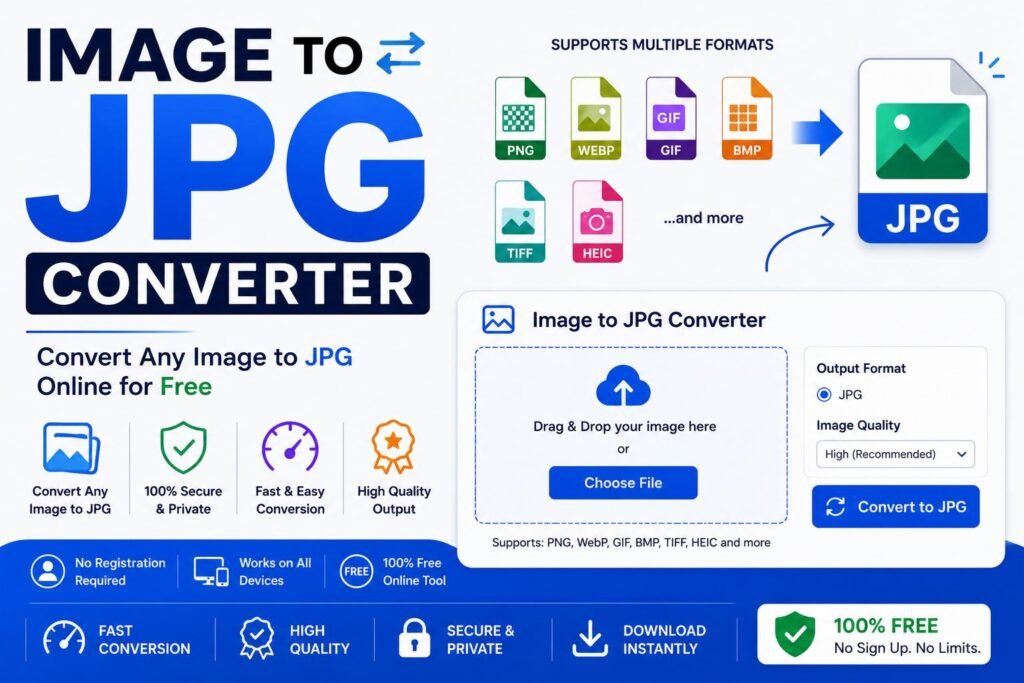
Image to JPG Converter: Convert Any Format Instantly
If you have ever downloaded a graphic, a screenshot, or a saved web image only to find a program, upload form, or printing service refuses to accept its file format, a reliable Image to JPG Converter solves that in seconds. Rather than juggling different editing tools for PNG, WEBP, BMP, and other formats, one converter can turn practically any image into a standard JPG that works almost everywhere. This guide explains why format mismatches happen so often, how a good converter handles a wide range of input types, and how to get a clean, universally compatible result every time.
Why You Need an Image to JPG Converter
Modern devices, websites, and design tools save images in a wide variety of formats, each created for a different purpose. PNG preserves transparency and sharp edges, WEBP compresses efficiently for fast-loading web pages, and BMP stores images in an uncompressed, larger format still used by some older software and hardware. While each of these formats serves its own purpose well, as documented in general digital imaging references maintained by the ISO/IEC JPEG compression standard committee, not every program, printer, or upload form accepts all of them equally. JPG, by contrast, has remained the most universally supported photo format since the early 1990s, making it the safest choice whenever compatibility is uncertain.
This is exactly why so many people search for a dependable Image to JPG Converter the moment they hit a compatibility wall. Whether you downloaded a WEBP image from a website, exported a PNG graphic from a design tool, or have an old BMP file from a scanner, converting it to JPG ensures it will open correctly in almost any photo viewer, editor, or upload form you encounter, without needing to identify or manually convert each format separately.
How Our Image to JPG Converter Works
Our Image to JPG Converter was built to accept virtually any common image format and produce a clean, standard JPG output without requiring you to know anything about the technical differences between formats. There is no account to create, no software to install, and no need to identify your file's exact format beforehand. You simply upload the image, and the tool handles the rest.
- Upload your image: Select a PNG, WEBP, BMP, or other supported image file from your device.
- Automatic format detection: The tool reads the file and prepares it for conversion regardless of its original format.
- Convert to JPG: The tool rebuilds the image as a standard JPG file, filling any transparent areas with a solid background where needed.
- Download the result: Save the finished JPG file straight to your computer or phone.
Because the conversion happens directly in your browser, you get a properly formatted JPG in seconds, regardless of which original format your image started in.
Benefits of Using an Image to JPG Converter
A dedicated Image to JPG Converter offers several practical advantages over relying on separate tools or manual conversion for each format:
| Benefit | Why It Matters |
|---|---|
| Accepts multiple formats | One tool handles PNG, WEBP, BMP, and other common formats without needing separate converters. |
| Universal compatibility | JPG files open in nearly every viewer, editor, and platform without extra plugins. |
| No format identification needed | Upload the file as-is; the tool figures out how to handle it. |
| Smaller file sizes | JPG's efficient compression often produces a smaller file than the original format. |
| No cost | Free tools remove the need for paid software just to change a file's format. |
These advantages explain why designers, online sellers, bloggers, and everyday users all reach for an Image to JPG Converter instead of hunting down a separate tool for every different format they encounter.
Image to JPG Converter vs Other Methods
Some people try to work around format issues by taking a screenshot of the image as it appears on their screen, which usually introduces compression artifacts, unwanted borders, or a lower resolution than the original file actually had.
Other people open each image in a different program depending on its format, since not every photo editor supports every file type equally well, requiring several different tools just to handle a handful of images from different sources. According to guidance from Mozilla's Web Docs on image formats, browser-based conversion tools have become one of the most common ways users move between formats specifically because they avoid installing extra software for each individual file type. A purpose-built Image to JPG Converter skips all of that and produces a clean, full-resolution JPG in one step, regardless of the file's original format.
Step-by-Step Guide to the Image to JPG Converter
- Locate your image file. This could be a PNG, WEBP, BMP, or another format you need converted.
- Open the converter tool in your browser on desktop or mobile.
- Upload the file using the drag-and-drop area or the file picker.
- Let the tool detect and convert the file automatically to JPG format.
- Preview the result to confirm the image looks correct.
- Download the JPG file and save it to the folder of your choice.
Common Situations Where This Conversion Is Needed
The need for a reliable converter shows up in more places than people expect. Online sellers frequently download supplier product images that arrive in WEBP or PNG format, only to find a marketplace's upload form strictly requires JPG. Bloggers and content writers often save images from other websites for reference, many of which are served in WEBP format by default for faster page loading, and need to convert them to JPG before using them elsewhere.
Print shops and photo labs can be particular about accepted file formats, since older point-of-sale and printing software was often built around a narrow list of supported types, typically excluding newer formats like WEBP entirely. Graphic designers working across multiple applications sometimes export a file in one format only to discover a different tool in their workflow does not support it, requiring a quick conversion to keep the project moving. Even everyday phone users encounter this, since some camera apps and messaging platforms save or forward images in formats other than JPG, and uploading one of these to a form that only accepts JPG requires a fast conversion first.
In every one of these situations, having a dependable Image to JPG Converter saved as a bookmark removes the guesswork and gets the job done in a single step, regardless of what format the original file happened to be saved in.
Content management teams migrating an old website's media library also encounter this challenge on a larger scale, often discovering that images accumulated over years span a mix of formats depending on which tool or contributor uploaded them originally. Standardizing everything to JPG during a migration keeps the new system's media library consistent and avoids leaving behind a handful of files in older or less-supported formats that could cause display issues later.
Choosing the Right Tool for the Job
Not every converter online accepts the same range of input formats, so it helps to know what separates a good tool from a limited one. Look for a converter that supports a genuinely wide range of formats, including PNG, WEBP, and BMP at minimum, rather than one built around only a single specific conversion path. Transparency handling matters too: a good tool should fill transparent areas cleanly with a sensible background color rather than leaving artifacts or distorted colors in the final JPG.
Speed and privacy are also worth checking. A well-built tool should process your file quickly, often in under a second for typical image sizes, and should not require you to hand over an email address or create an account just to convert a single image. Finally, consider whether the tool preserves the original resolution during conversion, since some converters unnecessarily shrink images in the process, which is not something a genuine format conversion should require.
Understanding Why JPG Remains the Safe Default
JPG has stayed the most broadly compatible photo format for decades because it strikes a practical balance between file size and image quality while being supported by essentially every piece of software, printer, and device made since the format's introduction. Even as newer formats like WEBP have emerged with better compression efficiency for web use, JPG remains the format most consistently accepted across form uploads, printing services, and older software that has not been updated to support newer alternatives.
This is precisely why, when in doubt about whether a specific platform or program will accept an image, converting to JPG first is generally the safest choice. Unlike newer formats that may only be supported by recent software versions, a JPG file created today will very likely still open correctly on virtually any device or program you encounter, now or in the foreseeable future.
It is also worth noting that JPG's widespread support extends beyond just software compatibility. Many physical devices, including standalone digital photo frames, older printers, fax-to-email gateways, and embedded systems in point-of-sale or kiosk hardware, were built with JPG decoding specifically in mind, often as the only image format they support at all. A file that works perfectly on a modern computer screen in a newer format can fail completely on this kind of older or specialized hardware, which is another reason JPG remains the dependable fallback choice whenever an image needs to travel somewhere outside a typical modern browser or app.
Frequently Asked Questions About Image to JPG Converter
Is an Image to JPG Converter free to use?
Most browser-based converters, including this one, are free with no download or account required.
What image formats can I convert to JPG?
A good converter typically accepts common formats such as PNG, WEBP, BMP, and several others, converting all of them to standard JPG output.
What happens to transparent backgrounds when converting to JPG?
Since JPG does not support transparency, any transparent areas in the original image are filled with a solid background color, usually white, during conversion.
Will converting to JPG reduce my image's quality?
A well-built converter preserves the original resolution and keeps quality loss minimal, since JPG's compression is efficient enough to maintain good visual quality at a reasonable file size.
Does the converter work on mobile phones?
Yes, the tool runs in any modern mobile browser, so you can convert images directly from your phone or tablet.
Format compatibility issues are a small, common problem with a simple fix. Once you have a dependable Image to JPG Converter bookmarked, you never have to worry about a file refusing to open or upload again, no matter what format it started in.