Increase Image Size in KB Online
Artificially increase your image file size to meet minimum portal limits without changing pixels or quality.
Upload Your Image
Drag & drop file here or click to browse local storage
Target Size Setup
Export Parameters
More Production Tools
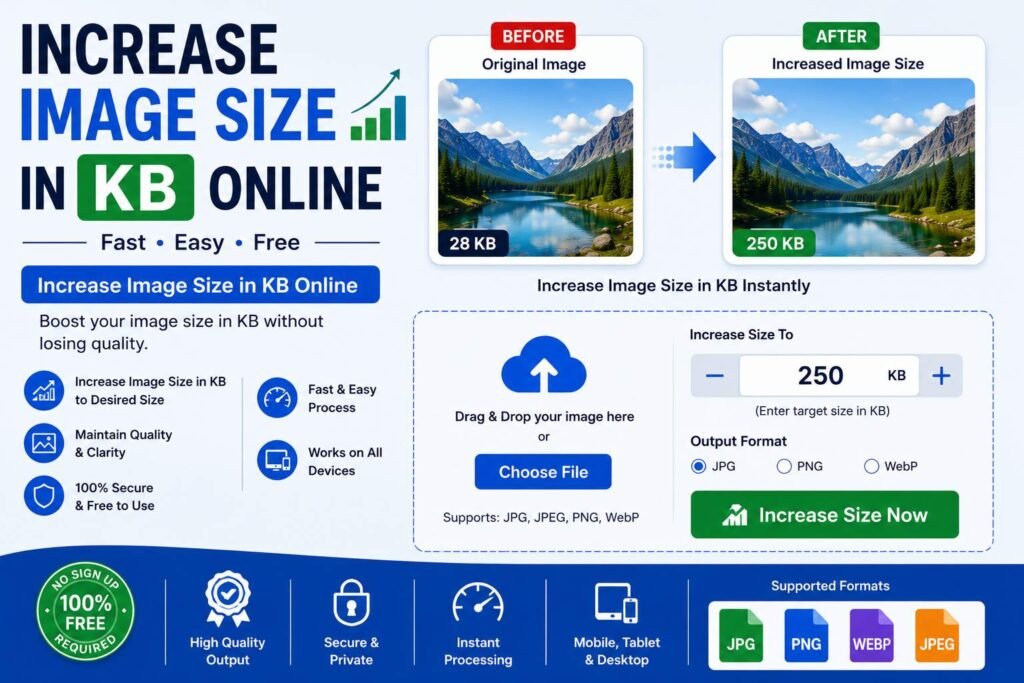
Increase Image Size in KB Online: Fix Files That Are Too Small for a Form
Most people searching for an image tool are trying to make a file smaller, so it comes as a surprise the first time a form rejects an upload for being too small instead. An increase image size in KB online tool exists for exactly this less common but very real problem: some forms specify a minimum file size in kilobytes, not just a maximum, and a clean, well-compressed image can easily fall under that minimum and get rejected even though it looks perfectly fine. This guide explains why some forms enforce a minimum size at all, how a dedicated tool increases a file's KB size without visibly damaging it, and how to avoid the mistakes that lead to a second rejected upload.
Why You Need to Increase Image Size in KB
Most discussion around image uploads focuses on shrinking files down to fit under a maximum size limit, and for good reason, since that's the far more common requirement. But a smaller number of forms, particularly certain government, banking, and exam applications, specify a minimum file size alongside the maximum, rejecting an upload that's "too small" just as readily as one that's too large. This catches people off guard because it runs against the usual instinct that a smaller, more efficiently compressed file should always be an improvement.
This is exactly why people search for an increase image size in KB online tool once they encounter this less familiar requirement. A photo or scanned document that's been compressed well, or a simple, low-detail image like a signature or a small logo, can easily produce a file well under a form's stated minimum, even though visually there's nothing wrong with it. Manually increasing a file's size without simply degrading its quality or padding it with irrelevant data isn't something most people know how to do in a general photo editor, which is exactly the gap a dedicated tool is built to fill.
How Our Increase Image Size in KB Tool Works
Our increase image size in KB online tool is built to raise a file's size to meet a minimum requirement while keeping the image looking exactly as it should. There is no account to create, no software to install, and no need to understand how image encoding actually stores file data. You upload your image and set the target size, and the tool handles the increase for you.
- Upload your image: Select the photo, scan, or signature file from your device that's currently under the required minimum size.
- Set your target size in KB: Enter the minimum file size your form requires the image to meet.
- Automatic size adjustment: The tool increases the file's size toward your target while keeping the visible image unchanged.
- Download the compliant file: Save the finished image, now large enough in KB to satisfy the form's minimum requirement.
Because the tool checks the resulting file size against your target as it works, it reliably lands within the minimum requirement your form specifies, without leaving you to guess whether a manual adjustment actually pushed the file size high enough.
Benefits of Using an Increase Image Size in KB Tool
A dedicated increase image size in KB online tool offers several practical advantages over trying to solve this less common problem manually:
| Benefit | Why It Matters |
|---|---|
| Solves an uncommon but real problem | Directly addresses forms with a minimum file size requirement, which most tools don't account for. |
| Targets an exact KB figure | Works toward the specific minimum size your form requires rather than a rough estimate. |
| Keeps the image looking unchanged | Increases file size without introducing visible artifacts or distorting the original image. |
| Reduces upload rejection risk | Avoids a second rejected submission after the first attempt was flagged as too small. |
| No cost | Free tools remove the need for paid software to solve a fairly niche file size problem. |
These advantages explain why people who run into this less obvious requirement consistently turn to a dedicated increase image size in KB online tool rather than trying to improvise a fix with general image editing software not built for this purpose.
Increase Image Size in KB vs Other Methods
Some people try to solve this by re-saving their image at the highest possible quality setting in a basic photo editor, hoping that alone will push the file size up enough. This sometimes works, but a well-optimized image can still land under a form's minimum even at maximum quality, particularly for small or simple graphics like signatures, since there's only so much file size a small, low-detail image naturally carries no matter the quality setting used.
Others try enlarging the image's pixel dimensions to force a bigger file size, but this changes the image's actual size and shape, which can just as easily cause a new rejection if the form also specifies exact pixel dimensions alongside the file size range. A tool built specifically to increase KB size while keeping the visible dimensions and appearance untouched avoids this trade-off entirely, addressing only the file size property that actually needs to change rather than introducing a second problem while trying to fix the first.
Step-by-Step Guide to the Increase Image Size in KB Tool
- Confirm your form's exact minimum requirement, checking the upload instructions carefully for the stated size floor.
- Open the increase image size tool in your browser on desktop or mobile.
- Upload your image file using the upload area.
- Enter your target minimum size in KB, matching what your form specifies.
- Let the tool adjust the file size automatically, checking the result against your target.
- Preview and download the adjusted image once it meets the minimum size required.
Common Situations Where This Is Needed
The need for this specific tool comes up in a narrower but still meaningful set of situations compared to the far more common problem of shrinking an oversized file. Certain government recruitment and exam portals specify both a minimum and a maximum file size for photo or signature uploads, catching applicants off guard when a clean, efficiently compressed image falls under the floor of that range. Banking and financial services applications that ask for scanned identity documents sometimes enforce a similar minimum, intended to ensure the scan retains enough visible detail to be verified.
People who compress their images carefully before uploading, precisely to stay well within a maximum size limit, occasionally overcorrect and end up under a form's stated minimum instead, especially for naturally small and simple files like signatures. Coaching centers and application assistance services helping applicants troubleshoot a confusing rejection message often need a quick way to diagnose whether a file was rejected for being too small rather than too large, since the two problems require entirely different fixes. In every one of these situations, a dependable increase image size in KB online tool bookmarked and ready to use removes the confusion around what is, for most people, an unfamiliar type of upload requirement.
Choosing the Right Tool for the Job
Not every image tool online accounts for the possibility that a file might need to get larger rather than smaller, so it helps to know what separates a tool actually built for this purpose from one that isn't. Look for a tool that lets you specify an exact target size in KB, rather than one that only offers compression options, since increasing file size requires a fundamentally different kind of adjustment than the shrinking tools most people are used to.
It also helps if the tool keeps the visible image unchanged while increasing its file size, rather than altering pixel dimensions or introducing visible artifacts as a side effect of the adjustment. Accuracy matters here too: a good tool should check the actual resulting file size against your target and adjust further if needed, rather than applying a single fixed change and hoping it lands close enough to the minimum required. Speed and simplicity matter as well, since this is often something people discover they need only after an unexpected rejection, right in the middle of trying to complete a time-sensitive form.
Avoiding Common Upload Mistakes
Beyond using the right tool, a few habits can help avoid confusion around this particular requirement. Reading the form's file size instructions carefully before assuming a rejection means the file is too small, since a similar error message can sometimes appear for other reasons entirely, such as an unsupported file format or incorrect pixel dimensions, is a useful first step before reaching for a size-increasing tool specifically.
It's also worth keeping both the original image and the size-adjusted version saved separately, since a file successfully adjusted to meet one form's minimum may not be the right starting point for a different form with its own separate set of requirements. Double-checking the final file size against the form's stated minimum before submitting, rather than assuming the adjustment worked without verifying the output, is a simple step that helps avoid a second unnecessary rejection.
Applicants who are unsure whether their device or internet connection will hold up on the day a form needs to be submitted benefit from working through any unusual size requirements, including a minimum floor, well ahead of the actual deadline. Discovering and resolving an unfamiliar rejection reason in advance, rather than during a narrow submission window, removes one more source of last-minute stress.
Frequently Asked Questions About Increasing Image Size in KB
Is an increase image size in KB tool free to use?
Most browser-based tools, including this one, are free with no download or account required.
Why would a form require a minimum file size instead of just a maximum?
Some portals set a minimum to help ensure an uploaded scan or photo retains enough detail to be clearly verified, rather than accepting an overly compressed, low-detail file.
Will increasing my file's size in KB change how the image looks?
A properly built tool increases the file size while keeping the visible image unchanged, rather than altering its appearance or dimensions.
How do I know if my file was rejected for being too small rather than too large?
Check the form's stated file size requirement carefully, since some forms list both a minimum and maximum, and the rejection message will usually indicate which limit wasn't met.
Does the tool work on mobile phones?
Yes, the tool runs in any modern mobile browser, so you can adjust your image's file size directly from your phone before submitting a form.
A rejected upload because a file is unexpectedly too small in kilobytes is a less common but equally frustrating problem. With a dependable increase image size in KB online tool, meeting a form's minimum requirement takes only a few seconds before you submit.