Signature Resizer in Exact KB
Compress and fit your scanned signatures under official form limits smoothly without ruining digital pixel verification.
Upload Signature
Drag & drop signature image or tap to select
Target Bounds Setting
Export Configurations
More Production Tools
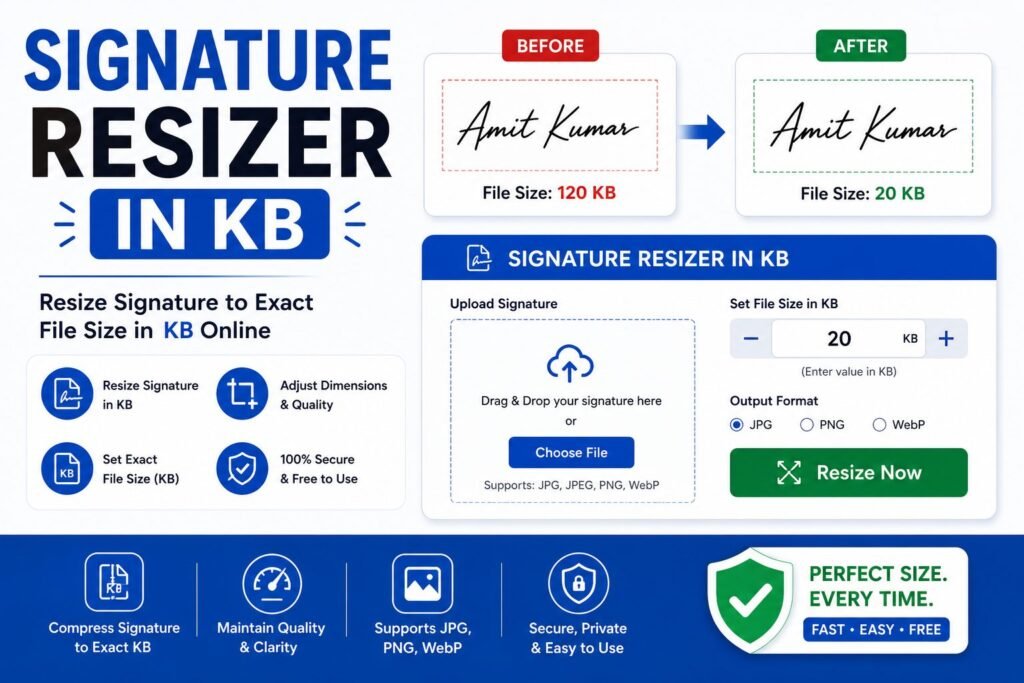
Signature Resizer in KB: Set Any Custom Target Size
Not every application form uses the same signature requirement, and if you have already searched for a tool built around one specific exam board's exact numbers, you may have found it does not match the different limit your current form actually requires. A flexible Signature Resizer in KB tool solves this by letting you type in whatever target size a particular form asks for, rather than being locked into one fixed specification. This guide explains why signature size requirements vary so widely between forms, how a customizable resizer handles any target accurately, and how to get a clear, compliant result no matter which limit you are working with.
Why You Need a Signature Resizer in KB
Government portals, banks, universities, and private platforms each set their own signature upload requirements independently, and these limits vary considerably from one form to the next. Some exam boards require a signature between 10KB and 20KB, others allow up to 50KB, and certain banking or KYC forms specify entirely different numbers again. This lack of a single universal standard means a tool built around one specific target, however well designed, will not necessarily help with a different form's requirement, a reality consistent with how compression settings must be tailored to a specific target file size rather than applied uniformly, as explained in general guidance from the ISO/IEC JPEG compression standard.
This is exactly why a flexible Signature Resizer in KB tool, one that lets you type in your own target size rather than offering only a single fixed option, is so useful. Whether you are applying to a form requiring under 15KB, under 30KB, or any other specific limit, being able to set that exact number yourself means you only need one tool for every signature-related upload you encounter, rather than searching for a separate resizer built around each individual exam board or platform.
How Our Signature Resizer in KB Tool Works
Our Signature Resizer in KB tool was built around flexibility, letting you specify the exact target size a particular form requires rather than assuming a single fixed number. There is no account to create, no software to install, and no need to search for a separate tool for each new form you encounter. You simply upload your signature, enter your target size, and the tool handles the compression.
- Upload your signature: Select the scanned or photographed signature file from your device.
- Enter your target size in KB: Type the exact maximum size your specific form requires.
- Automatic compression: The tool adjusts quality, and dimensions if needed, to reach your specified target reliably.
- Download the compliant file: Save the finished signature, confirmed to meet the size you entered.
Because you control the exact target size yourself, this tool adapts to whatever specific requirement you are working with, rather than assuming every form uses the same limit as a fixed-specification tool would.
Benefits of Using a Signature Resizer in KB
A flexible Signature Resizer in KB tool offers several practical advantages over a resizer built around one single fixed target:
| Benefit | Why It Matters |
|---|---|
| Works for any size requirement | Adapts to whatever specific KB limit your particular form specifies. |
| One tool for multiple applications | No need to search for a separate resizer for each different exam board or platform. |
| Preserves legibility | Smart compression keeps your signature recognizable at your chosen target size. |
| Saves time across different forms | Quickly adjust the target and reprocess if you are submitting to several different portals. |
| No cost | Free tools remove the need for paid software just to meet a specific size requirement. |
These advantages explain why applicants juggling multiple forms with different requirements, and anyone whose specific limit does not match a more rigid, fixed-specification tool, reach for a flexible Signature Resizer in KB tool instead.
Signature Resizer in KB vs Other Methods
Some people search specifically for a tool built around one exam board's exact numbers, which works well if that happens to match their current form, but leaves them searching again for a different tool the moment they encounter a form with a different limit. This becomes inefficient quickly for anyone applying to multiple platforms with varying requirements.
Other people try to reach an arbitrary target size using a general photo editor, manually adjusting quality settings and checking the result repeatedly until it happens to land under whatever number their form requires. According to guidance from the MDN Web Docs on image formats and compression, reaching a specific target file size reliably requires checking the result at each compression step rather than guessing at a single setting, which is exactly the calculation a dedicated, customizable tool automates regardless of what target you specify. A flexible Signature Resizer in KB tool removes this repeated guesswork no matter which specific limit you are working toward.
Step-by-Step Guide to the Signature Resizer in KB
- Check your form's exact requirement. Note the specific maximum size, or range, it specifies for signature uploads.
- Open the Signature Resizer in KB tool in your browser on desktop or mobile.
- Upload your signature file using the upload area.
- Enter your target size in the KB field, matching your form's specific requirement.
- Let the tool compress automatically and preview the result.
- Download the resized signature and upload it directly to your application form.
Common Situations Where This Is Needed
The need for a flexible resizer shows up whenever someone is applying to multiple platforms with different, non-standardized requirements. Job seekers submitting applications across several different recruitment portals in the same season often encounter a different signature size limit at each one, making a single adjustable tool far more practical than switching between several fixed-specification resizers. Students applying to multiple universities or scholarship programs face a similar situation, where each institution's online form may specify its own distinct signature size requirement.
Banking and financial services customers completing KYC documentation across different institutions sometimes encounter varying signature size limits depending on the specific bank or platform's own system requirements. Freelancers and consultants submitting signed agreements or proposal documents through different client intake systems also benefit from being able to quickly adjust to whatever specific size a particular client's platform expects.
Even people who primarily deal with one well-known exam board's fixed requirement sometimes need a flexible tool as a backup, in case that board updates its specification in a future recruitment cycle and a fixed-specification tool has not yet been updated to match. In every one of these situations, having a dependable Signature Resizer in KB tool saved as a bookmark provides the flexibility to handle whatever specific requirement comes up next.
Volunteers and staff at community help centers who assist multiple people with different applications throughout the day also find real value in a single adjustable tool, since switching between several fixed-specification resizers for each visitor's specific form would slow down an already busy service significantly.
Choosing the Right Tool for the Job
Not every resizing tool online offers genuine flexibility, so it helps to know what separates a good customizable tool from a limited one. Look for a tool that lets you type in any target size directly, rather than choosing only from a small set of preset options that may not match your specific requirement exactly. Accuracy matters most of all: a good tool should reliably land close to whatever target you specify, checking the actual resulting file size rather than applying a single generic compression level regardless of your input.
It also helps if the tool preserves signature legibility carefully at your chosen size, since a signature compressed too aggressively becomes unrecognizable, while one compressed too little will exceed your target. Speed and simplicity matter as well. A well-built tool should process your file in seconds without requiring an account, letting you quickly adjust the target size again if you discover a different requirement partway through completing several application forms.
Tips for Managing Multiple Size Requirements
If you regularly apply to different forms with varying signature requirements, it helps to keep a simple record of each platform's specific limit alongside a correctly resized file saved for that exact target, rather than trying to remember every number from memory each time a new form comes up. Starting from a single clean, high-quality signature scan and generating several differently sized versions from it, rather than repeatedly rescanning your signature for each new requirement, also saves time and keeps the results more consistent across different applications.
When a form specifies a size range rather than a single maximum, aiming for a value comfortably within the middle of that range, rather than right at either edge, reduces the risk of a rejected upload due to small rounding differences during the platform's own file processing.
It is also worth keeping the original, uncompressed version of your signature scan safely stored somewhere separate from the various resized copies you generate for different forms. Compressing an already compressed file repeatedly, rather than always starting fresh from the original high-quality scan, tends to introduce more visible quality loss over time, since each additional round of compression discards more detail than starting from a clean source would.
Frequently Asked Questions About Signature Resizer in KB
Is a Signature Resizer in KB tool free to use?
Most browser-based resizing tools, including this one, are free with no download or account required.
Can I use this tool for any exam board or platform's signature requirement?
Yes, since you can enter your own specific target size, this tool works for virtually any form's requirement rather than being limited to one fixed specification.
What if my form specifies both a file size and exact pixel dimensions?
Check whether the tool also allows you to set dimensions, since some forms require both a specific size and a specific pixel measurement to be met together.
Will compressing to a very small target size make my signature unreadable?
A well-built tool balances compression carefully, so a signature generally remains recognizable even at a small target, especially if the original scan was clean and high contrast to begin with.
Does the tool work on mobile phones?
Yes, the tool runs in any modern mobile browser, so you can resize your signature directly from your phone before submitting an application.
Every form seems to have its own idea of the right signature size, but that does not mean you need a different tool for each one. With a flexible Signature Resizer in KB tool, meeting any specific requirement takes only a few seconds.